Protecting the window context
With Web Programming most of the work is done for you. That is the beauty of the Web Browser as a development platform over and above the rest such as Android or iOS native development. We can do so much with just a few commands. Since our programming work is minumal we do not have to worry about context. But as we go about to do more than just static web pages and get into the making of dynamic, interactive and rich media Apps our programs become larger. With larger programs comes the task of managing a large list of reference names.
Variable and Function Names
Managing a list of reference names is simple enough. Firstly we can not select any built in names. Obviously we won't ever want to use window or document as a reference name. Second we have to be careul not to use the same name twice. That is easy enough. But then there are dependency libraries we import into our Apps. Even more there are browser plug-ins. Coupling our own programs with dependency programs and unknown plugin programs and we have the inevitable problem of reference name trampling. We need a solution or a design pattern for ensuring names are not trampled.
Solution
There are various solutons for avoiding reference name trampling. Nodejs for example most popularily uses a modules design. They all do the same thing. The solution is encapsulation.
Top Level Window Context
The top level context is the window. All names created exists in the window object. The document object exists in the window context. The window is our programming entry point comparable to the main() function in C programming.
Singleton container
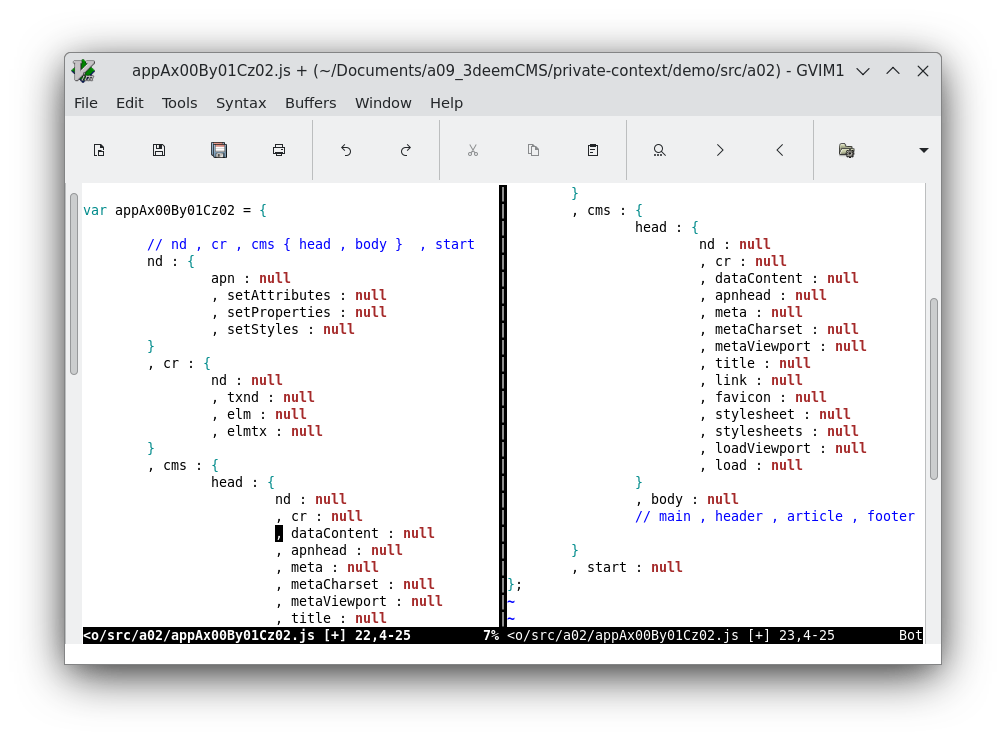
Here is how we will solve the reference names problem. We create a singleton object which will be the only reference name in the top level window context. We are carefull to select a name is that is unique. We place all our programming in that singleton. That singleton will provide us our own private context outside of and just one level below the window context. As such we only have that one reference name to worry about.
Alternative Anonymous function solution
You can use an anonymous function instead of using a uniquely named singleton{}. An anonymous function would guarantee your function is not overwritten since there is no reference at all. But then your entire program would have to be written in a single file. Scrolling through long files is a nightmare. Your computer will freeze. Your code editor will break too. You could do a hack where your source code is spread accross multiple files while editing but then you merge them before you actually go about loading your code into a web page. Spreading an anonymous function over multiple files would require a special pre-processor tool. With using a unique name, we can spread our program accross multiple files with out any special tools. It is the proper way I'd say.
The anonymous function solution has a second advantage. The first to re-interate was guaranteed reference name security. The second is that we do not have to use the "this" context reference so much. Using the "this" context reference does get tiresome quickly. We will probably write a special pre-processor tool in the future as mentioned above. For now, "this" gets the job done just fine.
Program Map
The app singleton soluton has a second advantage. The first to re-iterate is that you can spread your program over multiple files. The second is that you can create a map of your program as you go along. Your first JavaScript file is where you instantiate your app singleton but then as you go on and add more files, you can add those newly added reference names to that first file. So your first file becomes your program map too. We will present that first file first below.
Circular Referencing
There is a third advantage to the singleton solution. JavaScript is a dynamically allocated and immediately executed programming platform. That means the JavaScript engine will parse, load and run the first JavaScript function before the second is even parsed. If the first calls the second, it will fail because it does not yet exist in the reference names list. It is easily solved by changing the order. Put the second one first and first one second. But then if the second calls the first too the you have to change the design of your program layout altogether. The singleton will be your change of choice. In the singleton design your first and second functions are organized as keys on the singleton. They can go in any order in the first or second file, it does not matter because they are not yet executed while they are both parsed and ready to go. Then in the third and last file, you start your program. Now it does not matter if the first calls the second or the otherway around because they are both accessible to each other via the "this" context. You will see in our example program our code is organized in directories src/a02/ and src/a04/ and then finally src/a90/. And in a90/ we actually begin execution calls.