Intro to web UI programming
Mission Objective
The objective is to automatically generate web page UI from JavaScript instead of manually entering html. We will generate a dom tree or html markup of an <article> containing a heading level <h3>, followed by <paragraph>s containing <button>s, <input>'s, and <textarea>s.
The window{} & document{} API objects
The JavaScript API for web programming provides two important objects that are the window{} and document{}. The window{} provides the events API and the document{} provides the API for manipulating the DOM tree. We create nodes using the document.createElement() command. We handle events by registering callback functions using the window.addEventListener() command.
evl{}
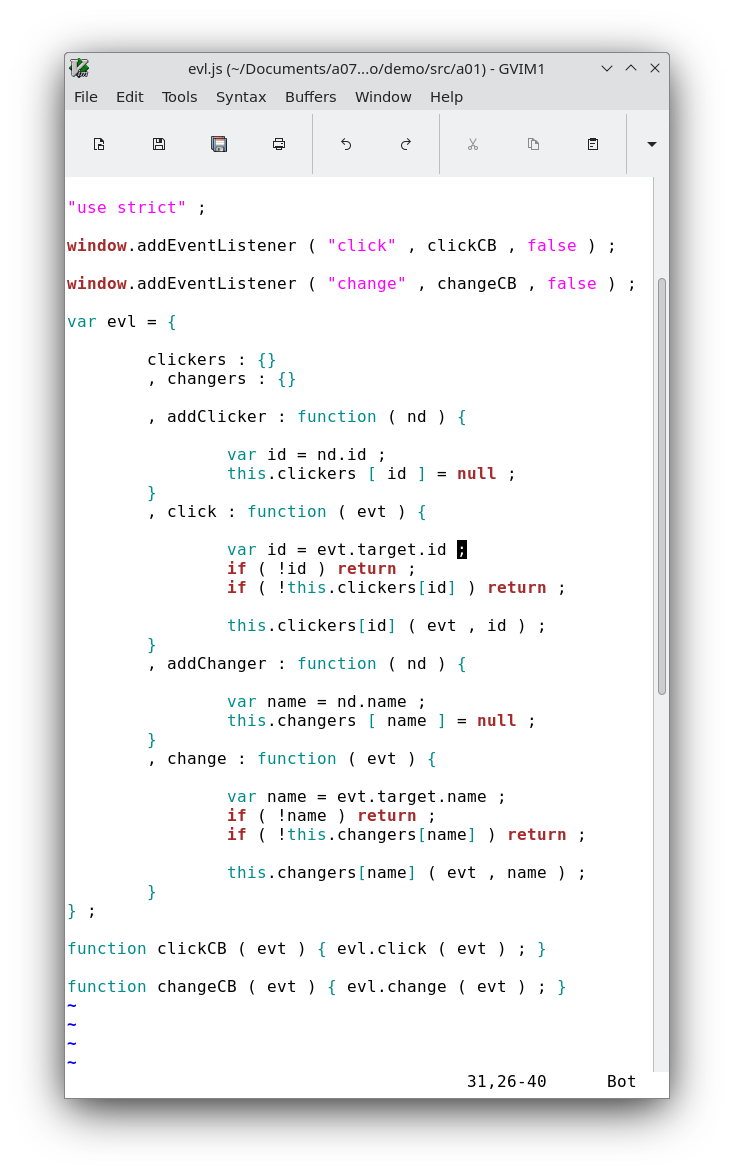
Before we begin programming the document we will write our event handler program. We will listen for "change" and "click" events for inputs and buttons. The evl object stores a key map of handler functions. On event it calls those handlers by key name. These key names correspond to the id's of click nodes and name's of input and textarea nodes. Handlers are set to the the corresponding key in evl.changers[nameKey]() or evl.clickers[idKey]().
evl{} src code file link
evl.js
evl{} src code screenshot
mkdom{}
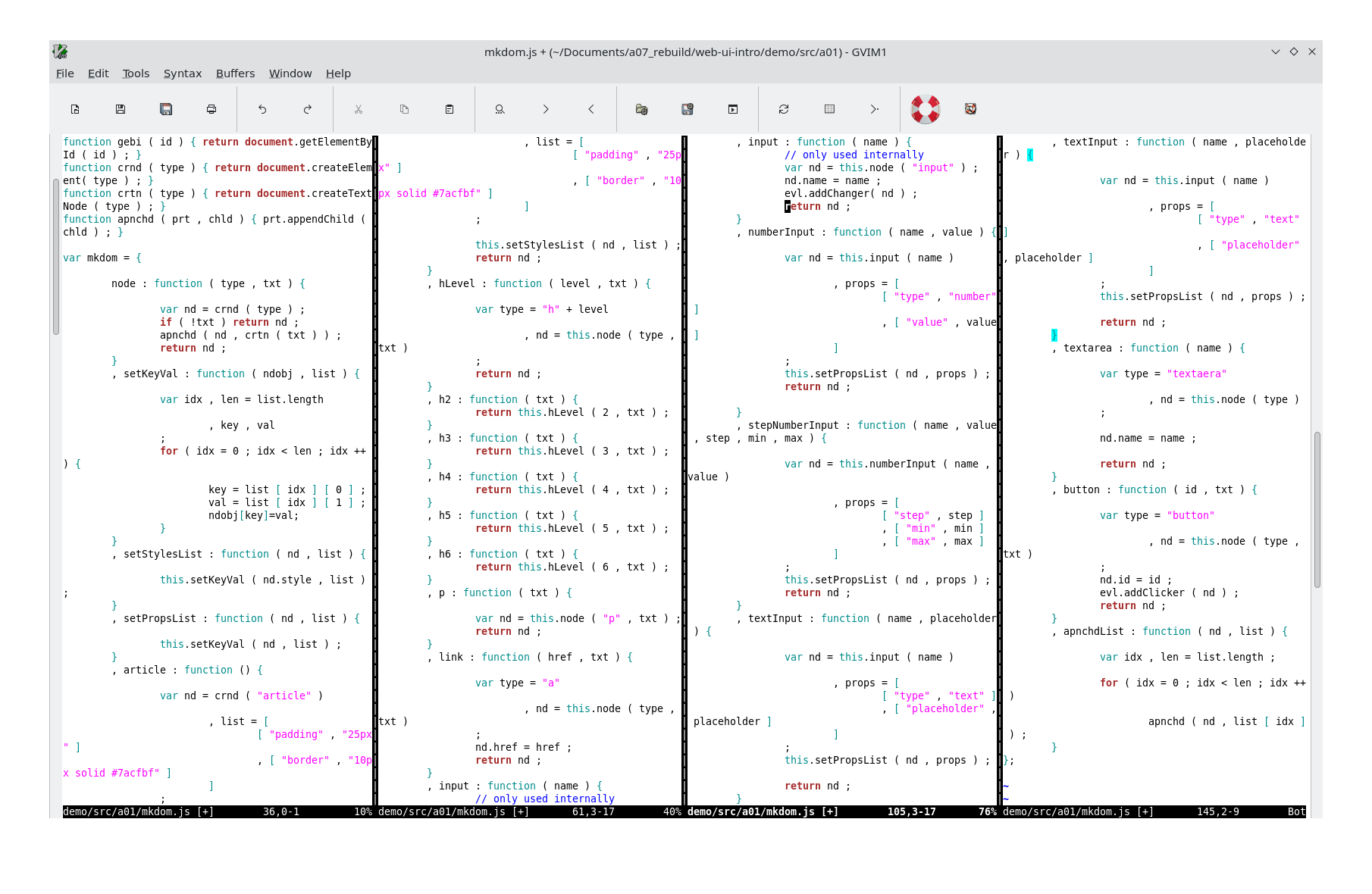
We will be wrapping around the document API. We write an object we name mkdom{} for making various createElement() calls followed by the minor configuration changes such as setting a prop and style. We also include a couple helper utilities such as calling appendChild() on a list.
mkdom{} src code file link
mkdom.js
mkdom{} src code screenshot
mkArticleSample()
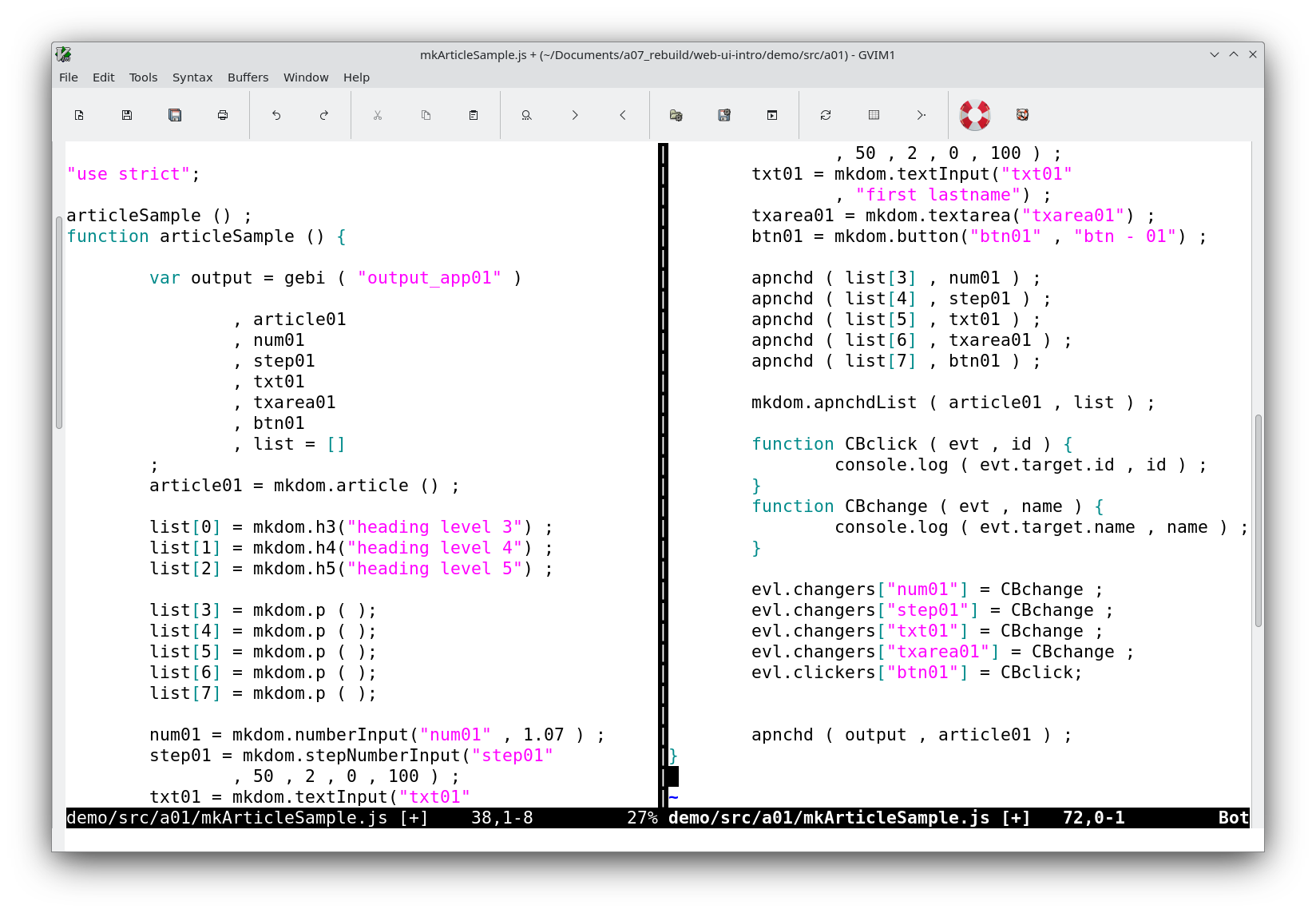
With evl{} and mkdom{} we can make web UI quick and easy. Here is our mission Article objective accomplished.
mkArticleSample() src code file link
mkArticleSample.js
mkArticle() src code Screenshot
Objective Mission: Dom article with inputs, buttons and textareas
Demo page
demo