WebGL - easy starter script
Description
WebGL is a multi processor platform for programming the CPU & GPU. Starting with JavaScript web programming which runs on the CPU we access WebGL programming on the GPU. JavaScript runs from source code stored in text files. Webgl is written in GLSL which is a specialized version of C programming that needs to be compiled to binary. Webgl provides upper layer abstraction commands for compiling programs and uploading programs and data. Finally your programs installed on the GPU would set the colour of screen locations specified in a supplied data set of pixels on the screen.
The GPU will run two programs. First for the position list. Secondly for the colour list. These are called Vertex and Fragment shaders. The vertex and fragment shaders are the programs that need to compiled and loaded on the gpu mentioned in the first paragraph. Then we load geometry points(x,y,z) and colour data(rgb).
This library wraps around the code for loading the gpu. Multiple commands can be called with a single wrapper command. 3D graphics is accomplished using matrix math. WebGL leaves the matrix math work to the programmer. This library includes matrices for translation, scaling and rotation. In the usage examples below you will find scripts for generating data for a cube.
Audience
You possess basic web programming skills. You are interested in 3D analytical geometry.
Usage
There are three files to work with. Open index.html in your browser to see the result of your work. The file name a00.js is the library itself. The matrices are written in the vertex shader. The vertex and fragment shader are coded in the index.html file. You will enter your data in the file named c00.js.
An accompanying video series on the usage of this WebGL library is available on youtube.com in a playlist. This library is eventually developed and introduced by video # 24.
vid - 24 - library 03: youtu.be/hFdj_SmUkaM
channel: youtube.com/@nadeemelahi593
playlist: playlist?list=PLJUHxPFa4XqP0KREQlaBVST_VLUEFiitS
Demo - scripted-data-entry
3D graphics is accomplished using geometries made up of triangles. So lets draw a triangle. We enter code for an array of verts and corresponding rgb colours in the file named c00.js.
video #24 : youtube.com/watch?v=hFdj_SmUkaM
app link : demo-drawing-a-triangle
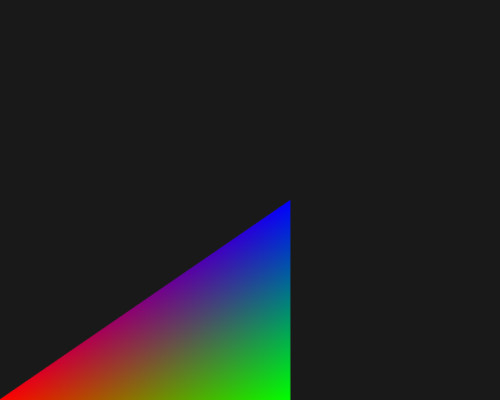
verts = [ -1,-1,0 , 0,-1,0 , 0,0,0];
colours = [ 1,0,0 , 0,1,0 , 0,0,1];
DEMO - scripted-cube
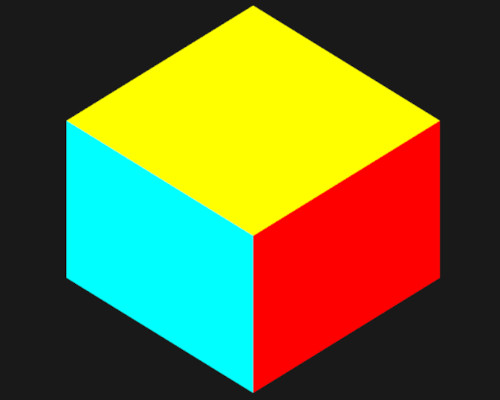
Scripting 4 vertices defining a quad to 6 defining 2 triangles is hardly of any consequence. It would be easier to just enter the extra 2 vertices by hand. But now we'll do the same for scripting 8 vertices defining a cube to 48 demonstrating the script's worth.
video #26 : youtu.be/3P7Jxt0fAGQ?si=AhzoSyz-R_SHHocB
app link : demo-scripted-cube
DEMO - letter-f
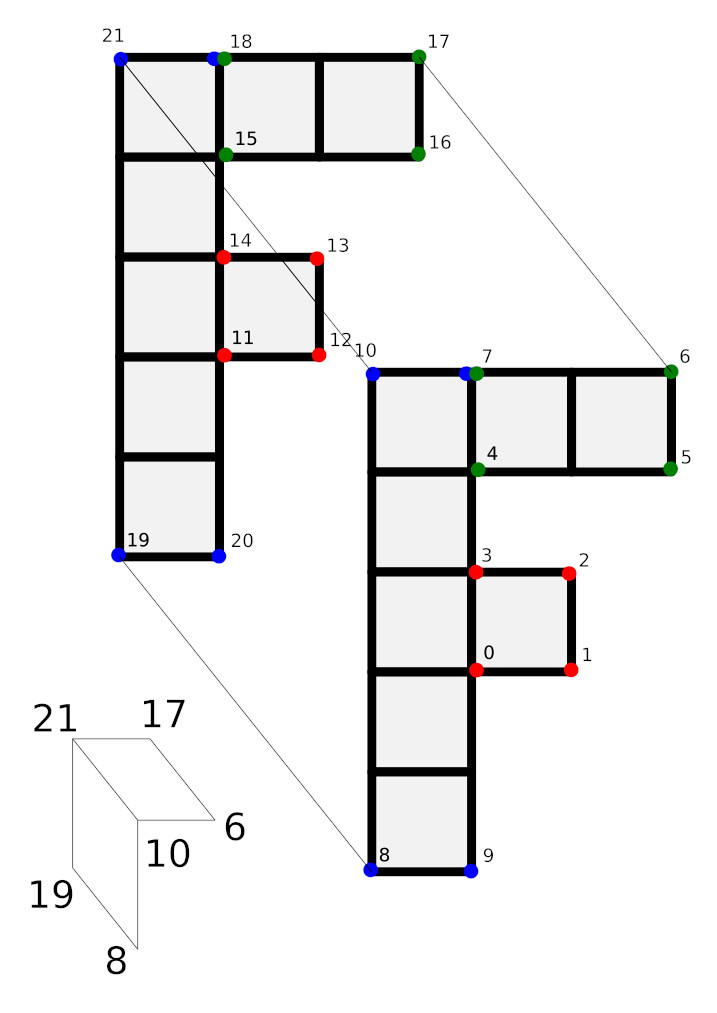
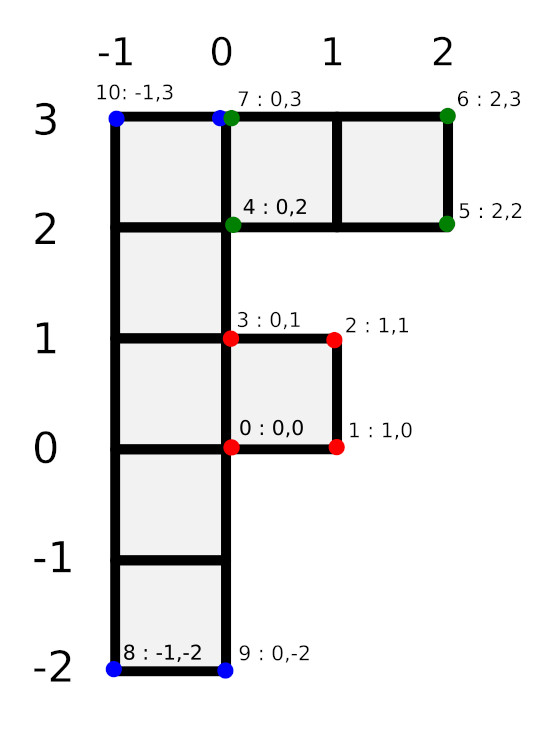
app link : demo-letter-f

Final Notes
In designing 3D graphics you will usually draw in perspective mode -a vanishing point. The other way to draw is called orthographic mode. Orthographic mode is used by CAD programs such as AutoCAD where precision is essential. Perspective is used for creating the illusion of reality/realism. In real life, things farther away appear smaller. Perspective programming is built on top of orthographic programming. This library does not include persepctive programming. This library produces orthographic graphics.
There is a scrapped file named b00.js. It contains matrix math work too but that done in JavaScript on the CPU. It is tested and working if you wish to play with it.
The app links for the three demo usage examples above are all styled to be full screen and so you can not right click -> view-source. Instead you can prepend the url with "view-source:" in the url bar.
There are two versions of WebGL; version-1 & 2. This library is using WebGL version-1.