Toggle Button

A button that changes it's text between a pair of texts and show and hides a menu node.

Mission Objective

Place a plus button such as [ + ] on the top left of the screen and above the page on the z-index. Program the click handler to toggle from [ + ] to [ - ] and back. Place an aside node at the top left too just under it on the z-index. The click handler will show and hide the article with toggle clicks. It will have multiple sections. Create a dom tree of article, section, and h2.

mkdomV2{}

We updated our mkdom{} tool. We added a few functions at the top: apnlist() , mty() , setVisible(), setHidden(), replaceTx(), and apnBranch(). We added a few mkDom{} methods: article(), section(), absoluteAside(), absoluteButton(), and articleSectionH2().

mkdomV2{} src code file link

mkdom.js

mkdomV2{} src code screenshot

source code of mkdomV2{}

mkToggleButton{}

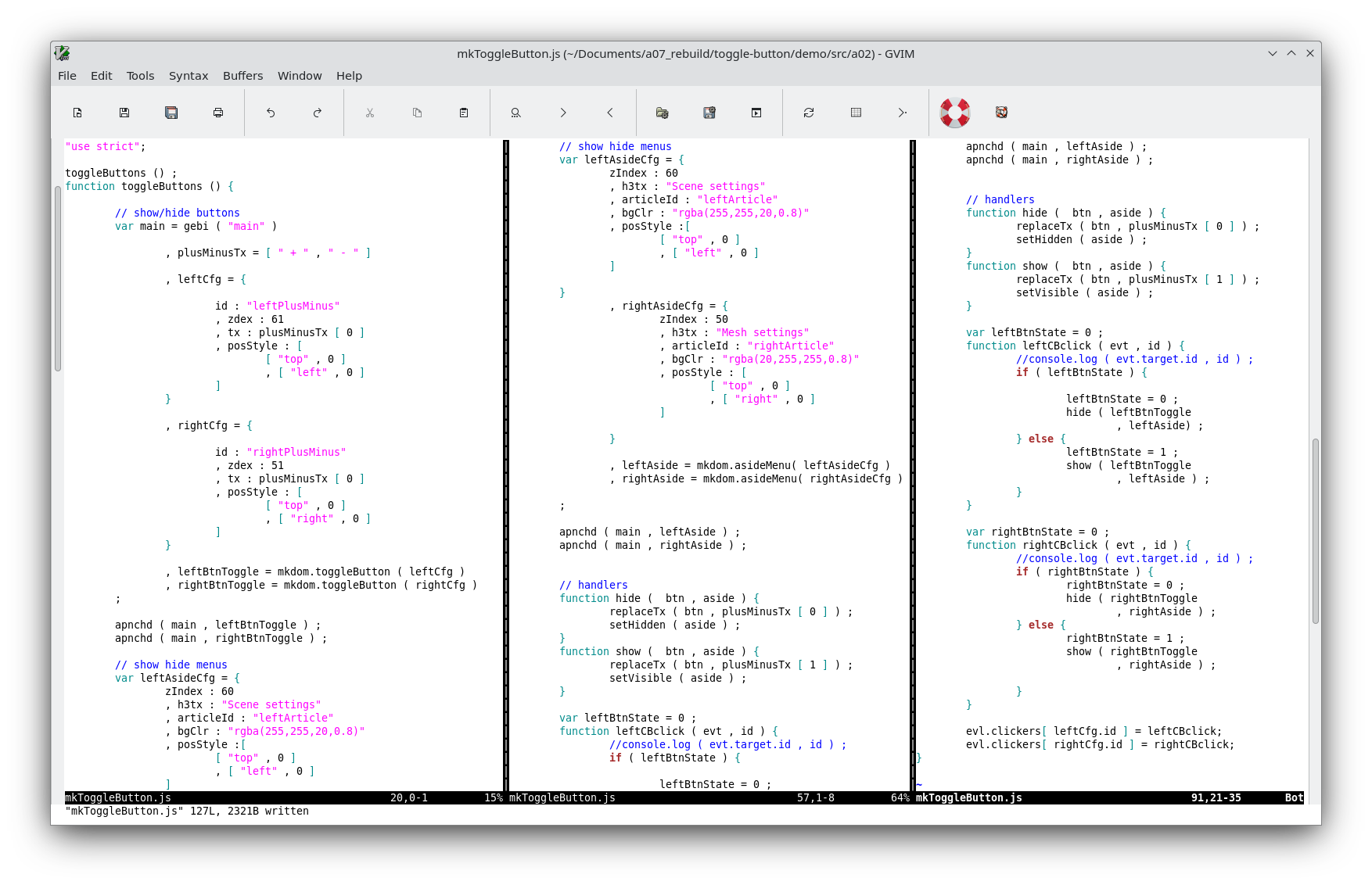
We made a button to be our toggle button toggling from [ + ] and [ - ]. It will show or hide another node. We make an aside node for that other node. We made a dom tree of article with a section with an H2 and loaded it into the aside node. Our click handler changes the text in the toggle button and set the show/hide aside other node to visible or hidden.

mkToggleButton() src code file link

mkToggleButton.js

mkToggleButton() src code screenshot

source code of mkToggleButton()

Demo page

demo