Web Page Content using our CMS
Add Articles to the Body Main in between the Header and Footer
Our CMS system is ready to go with pages mapped out for a broschure website design. We have a home, school, shop and resume page. The DOM contains a main containing a header, article and footer node. We will populate the main's article node.
Mission
Loads articles containing images and text of various design in to the DOM. Design a home page. We have a ready made resume SVG document generator app. We want to load that into the resume page. It will use a fixed page size of US standard letter A4 size. Thankfully our header for the resume page does not load the meta viewport configuration node.
Home Page Design
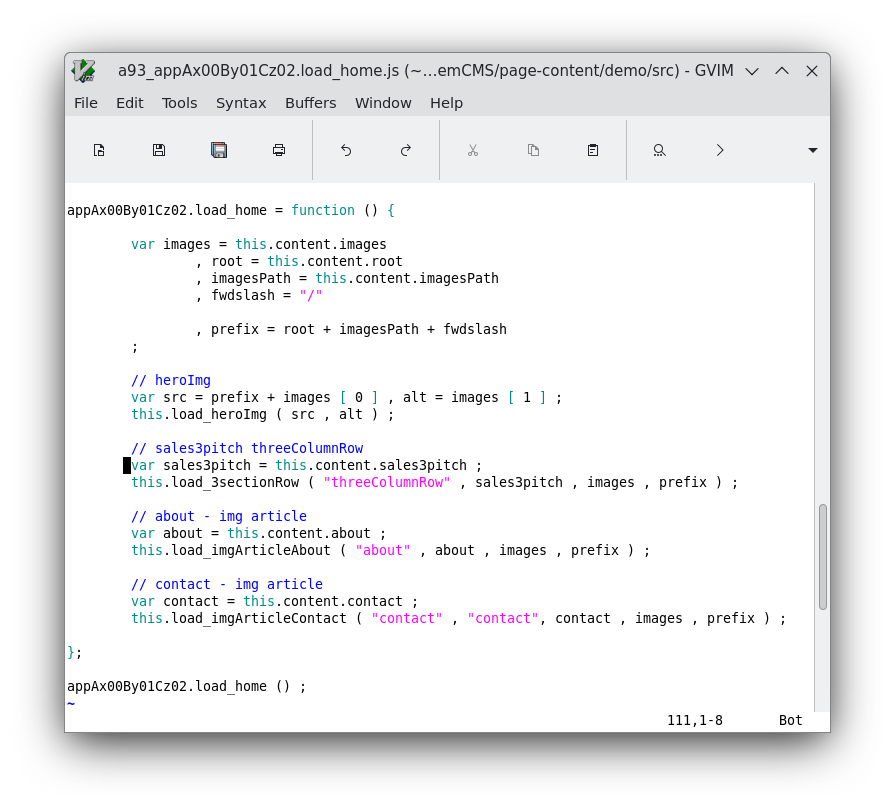
The home page will have an additional home page specific script. You can review the code for generating the designs. Note our workhorse is the makeArticle{} object. It builds a dom tree for us. We design it by the order of the build nodes created. Notice the className property settings. Then we style it by those classnames.
a93_appAx00By01Cz02.load_home.js
style.css
All files
And here are all the files
a01_appAx00By01Cz02.js
a03_appAx00By01Cz02.head.js
a05_appAx00By01Cz02.bodyMain.js
a07_appAx00By01Cz02.anchorListParagraph.js
a09_appAx00By01Cz02.stringto2Darray.js
a11_appAx00By01Cz02.mainHeader.js
a13_appAx00By01Cz02.mainFooter.js
a21_appAx00By01Cz02.makeArticle.js
a23_appAx00By01Cz02.make3columnRow.js
a31_appAx00By01Cz02.content.js
a31_appAx00By01Cz02.content.resume.js
a91_appAx00By01Cz02.start.js
a93_appAx00By01Cz02.load_home.js
a95_appAx00By01Cz02.load_resume.js
Demo page
demo